Built for U.S. contractors

See every crew, on every site.

Live locations, GPS clock-ins, photo and voice reports, and a clean daily summary for each job site — from one dashboard and two simple apps.

check_circle14-day free trial check_circleSet up in an afternoon check_circleCancel anytime
app.crewtrack.com/live-map
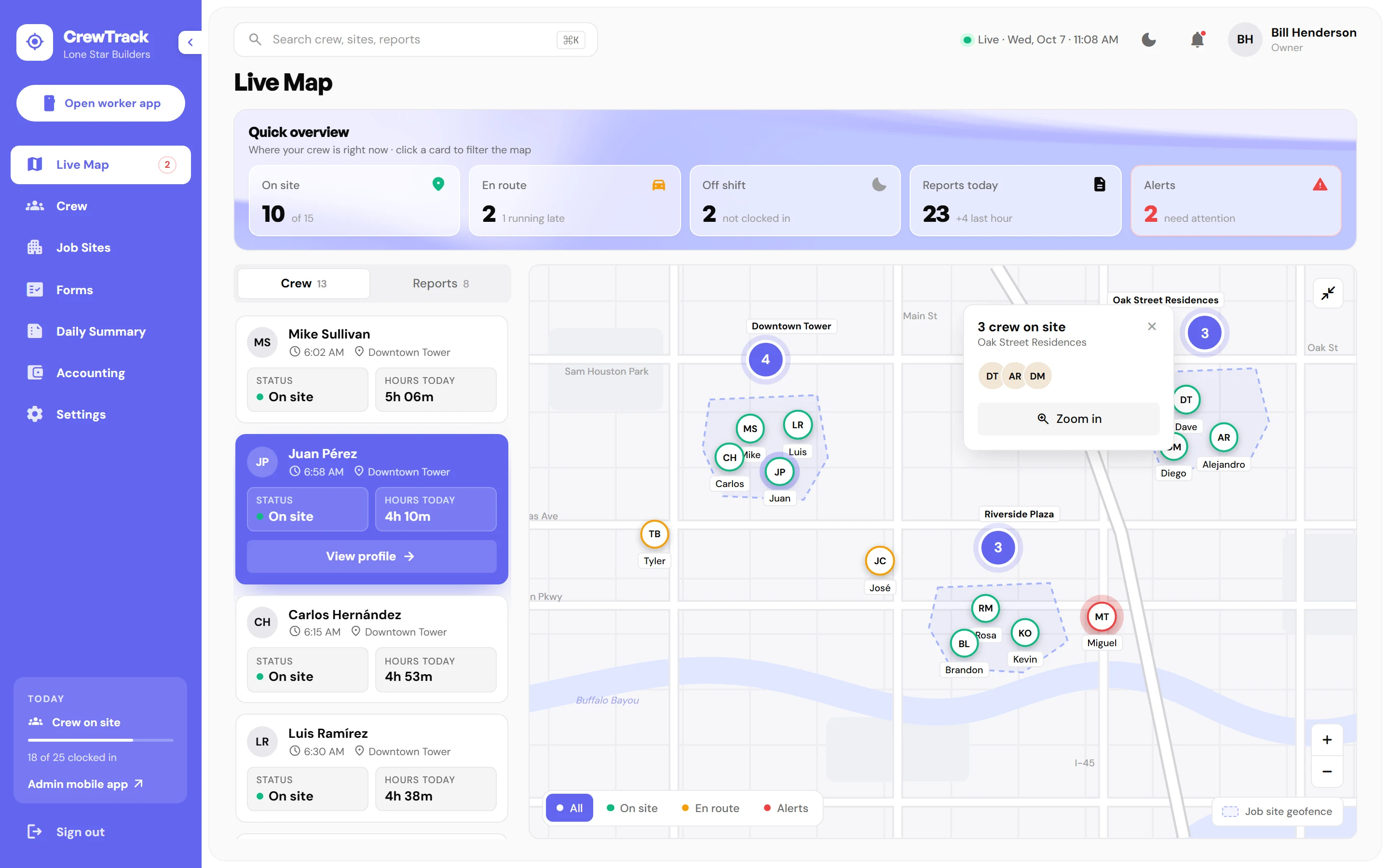
CrewTrack web dashboard showing a live map of crews across three Houston job sites, with on-site, en-route and alert counts
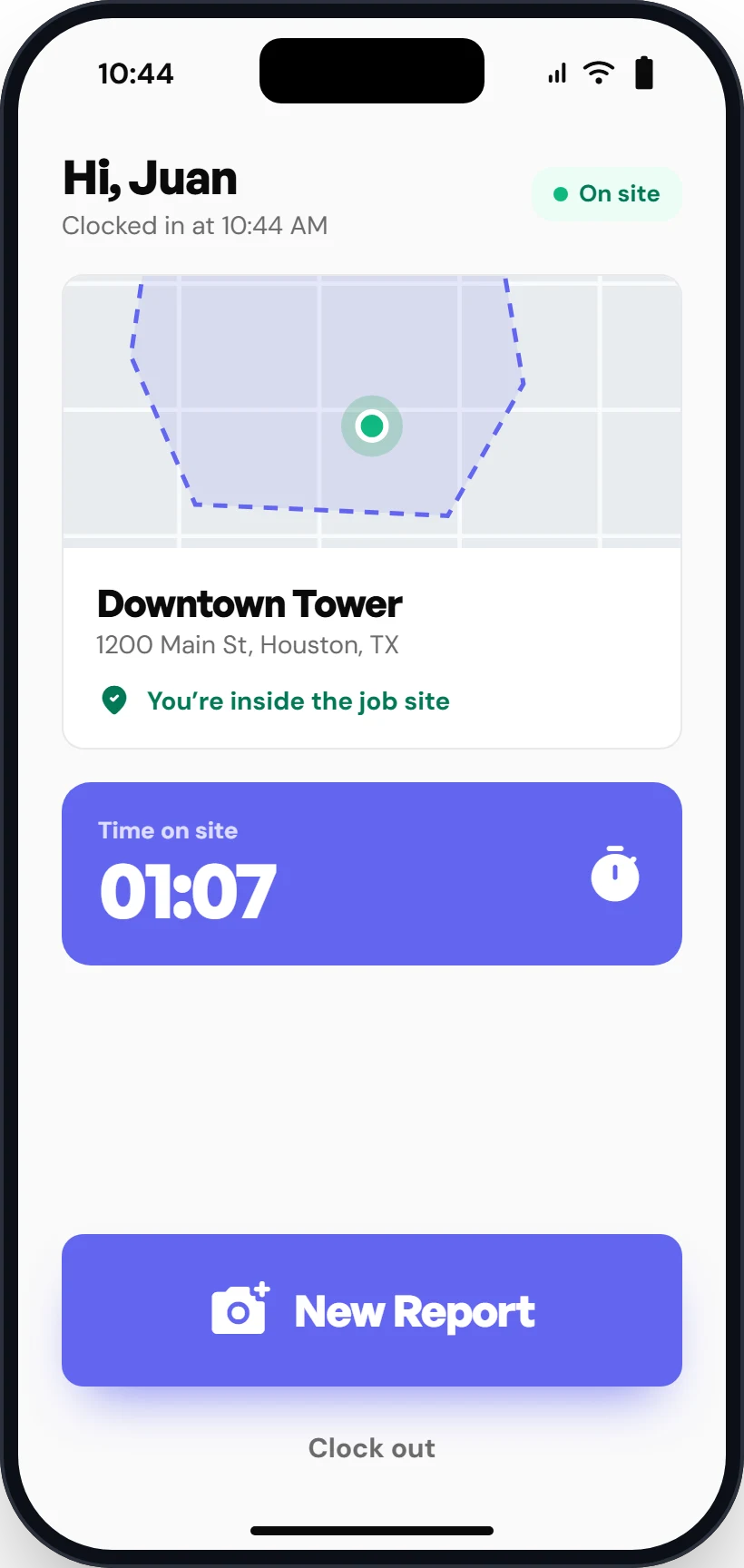
CrewTrack worker app showing a worker clocked in inside the Downtown Tower geofence
±4 mGPS accuracy on every clock-in
1 tapto clock in or send a report
Real timereports land in the office instantly
5 pmdaily summary for each job site
One platform, three apps

Everyone gets the tool that fits their day.

The office runs the dashboard, owners check in from their phone, and crews clock in and report with one tap.

Live map of crews and job sites in the CrewTrack dashboard
Web · Office

Admin dashboard

The full picture for the office: live map, crew, job sites, checklists and daily summaries.

  • checkLive map with geofences and alerts
  • checkDaily summary per job site
  • checkHours by job site, ready to export
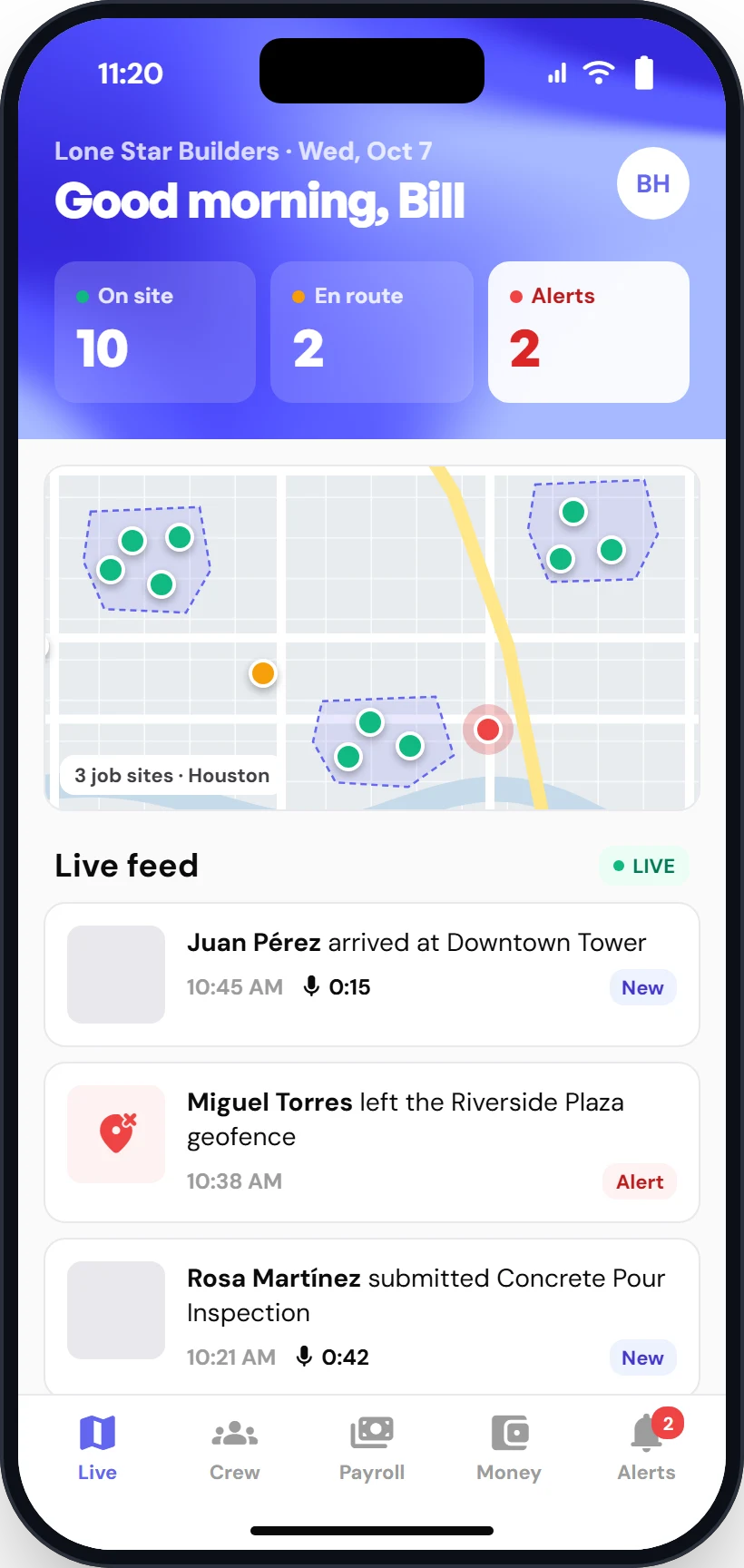
CrewTrack admin mobile app with live overview and feed
iOS & Android · Owners

Admin app

Your whole operation in your pocket. See who's on site, review reports and get alerts on the go.

  • checkLive overview and feed
  • checkApprove reports in one tap
  • checkAlerts when someone is late or leaves a site
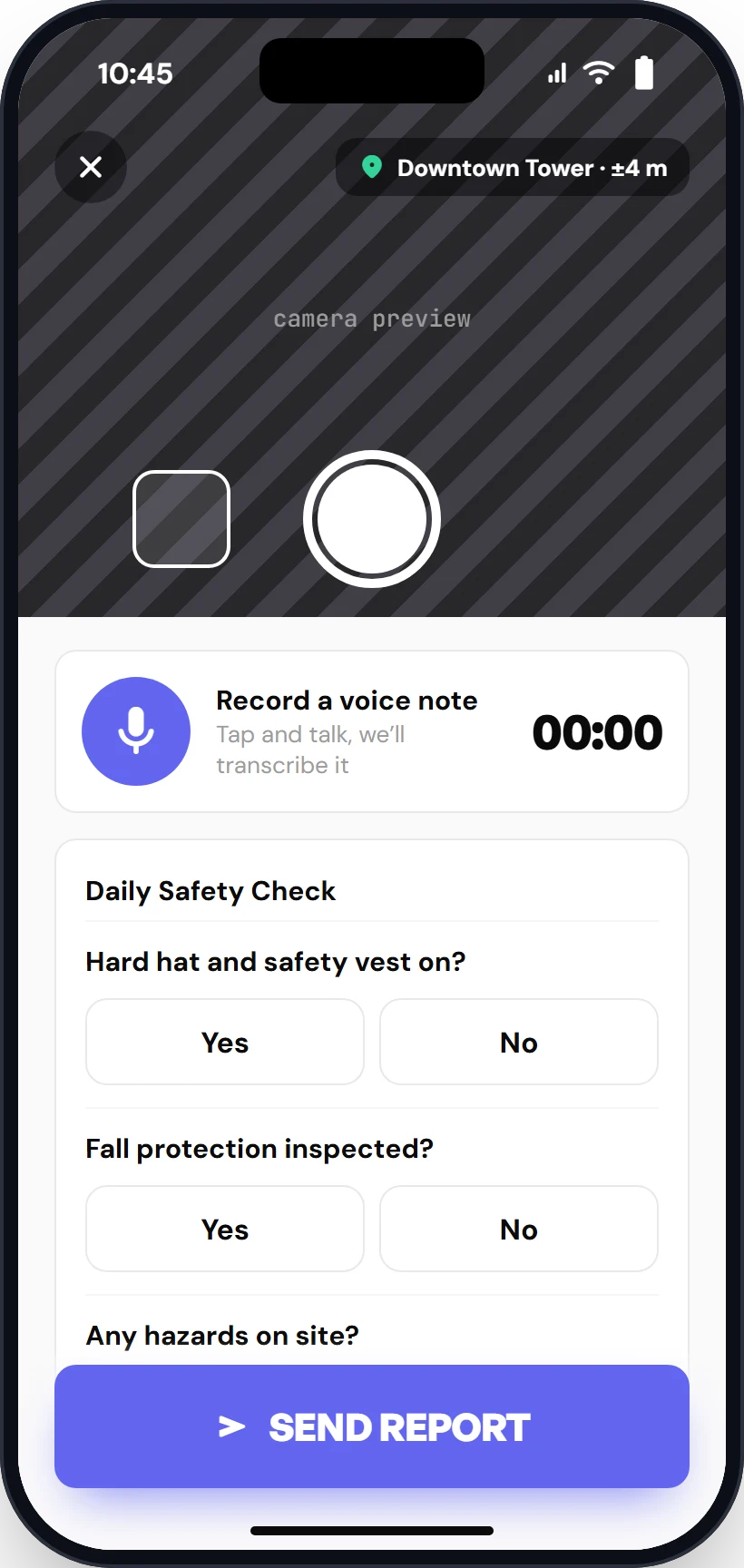
CrewTrack worker app capturing a photo report with voice note and safety checklist
iOS & Android · Crews

Worker app

Big buttons, no training. Clock in on site and send a report with photo, voice and checklist.

  • checkGPS-verified clock in
  • checkPhoto + voice note reports
  • checkSign checklists with a finger
How it works

From the job site to the office in seconds.

1

Crews clock in on site

The worker app checks GPS against the job site's geofence before the shift starts. No buddy punching, no paper.

2

Reports arrive in real time

Photos, voice notes and safety checklists land on the dashboard and the owner's phone the moment they're sent.

3

Daily summary, ready by 5 pm

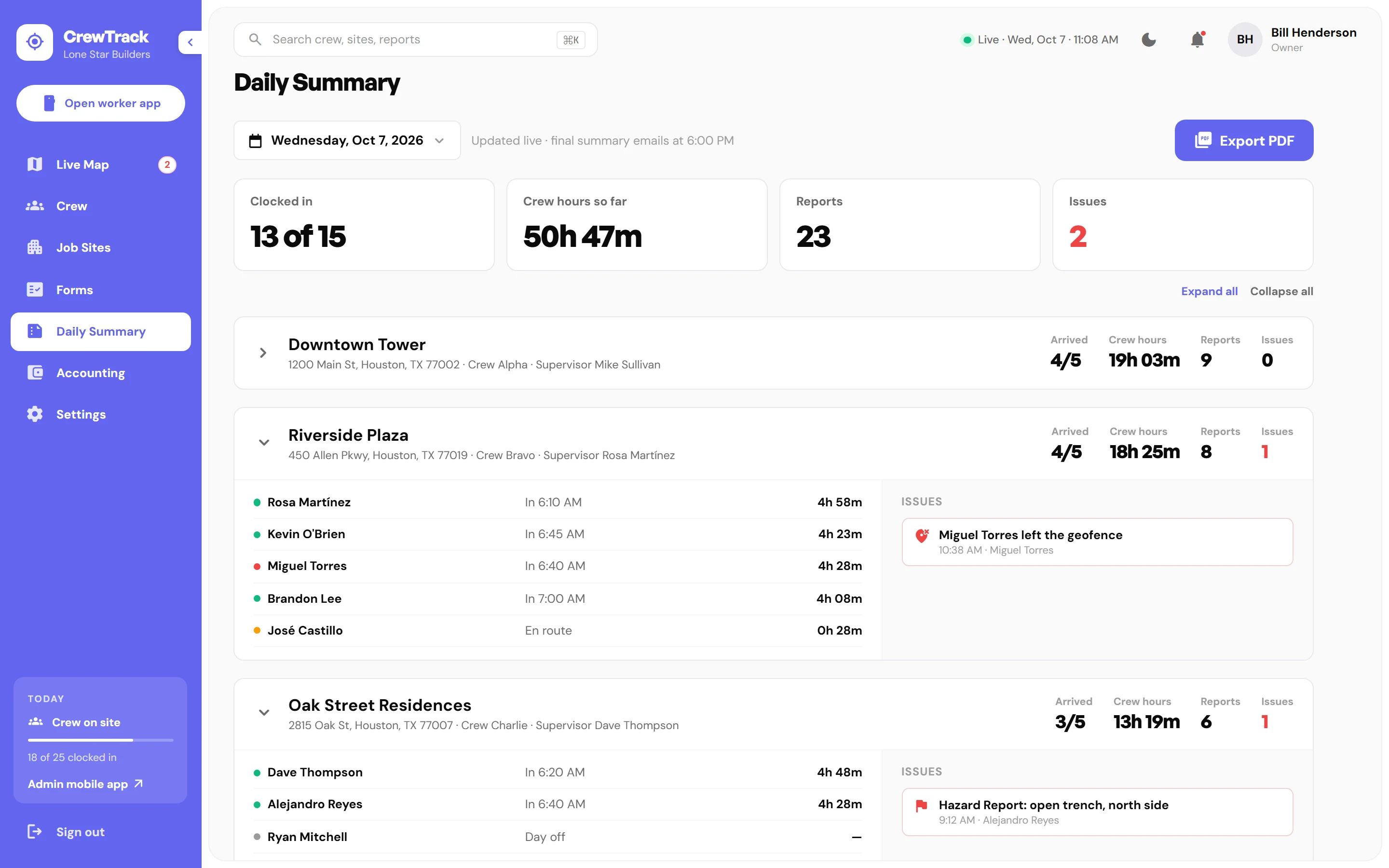
Hours, reports and alerts for every job site, wrapped up in one clean summary — with hours ready to export for payroll.

Forms & checklists

Build the exact checklist each job needs.

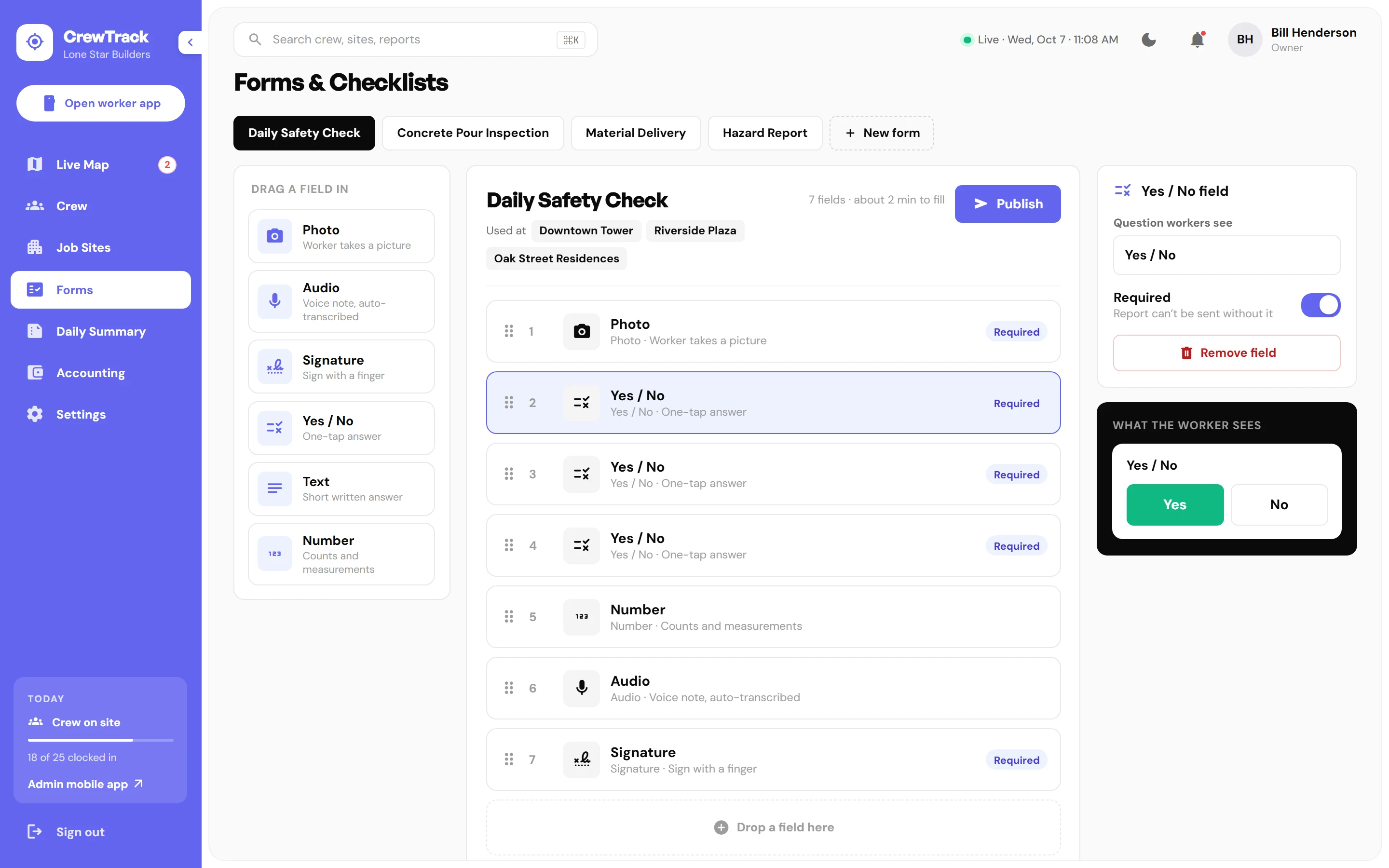
Drag photo, audio, signature, yes/no and number fields into a form and publish it to the right job sites.

  • drag_indicator
    Drag-and-drop builderDaily safety checks, concrete pours, deliveries and hazard reports.
  • rule
    Required fieldsReports can't be sent until the important answers are in.
Forms and checklists builder in the CrewTrack dashboard
Hours & labor cost

Know what labor really costs on every job.

Every GPS clock-in turns into hours per worker and per job site. Your payroll provider gets clean numbers, with no timesheets to chase.

  • schedule
    Overtime rulesSet when overtime starts and its rate, like 1.5× after 40 hours. On Pro.
  • monitoring
    Labor cost by job siteSee where the hours go on each site. On Pro.
  • download
    Export to Excel or CSVSend hours to your payroll on every plan.
Daily summary with crew hours per job site in the CrewTrack dashboard
share_location

Geofences

Draw a boundary around each job site. Workers are marked on site only inside it.

notifications_active

Instant alerts

Know right away when someone leaves a site, arrives late or flags a hazard.

mic

Voice notes

Crews talk instead of type. Notes are transcribed so the office can skim them.

photo_camera

Photo proof

Every photo is stamped with time and location for clean records.

groups

Crews & roles

Organize workers into crews with supervisors for each job site.

summarize

Daily summary

One report per site, every afternoon, ready to share with clients.

Pricing

Simple plans that grow with your crews.

Real-time GPS on every plan, users included, and a 14-day free trial to start.

lockSecure payments by Stripe swap_horizChange or cancel your plan anytime receipt_longPrices in USD, taxes may apply
FAQ

Questions, answered.

How does the free trial work?add

You get full access to your plan for 14 days. You won't be charged until the trial ends, and you can cancel before then from your account settings.

Do my workers need training?add

No. The worker app has two big actions — clock in and send a report — with large buttons designed for gloves and bright sunlight.

How does GPS clock-in work?add

You draw a geofence around each job site in the dashboard. When a worker clocks in, the app checks their location against that boundary and records the time and accuracy.

What happens if I have more workers than my plan includes?add

Each plan includes a set number of users — 5 on Crew, 15 on Business and 40 on Pro. Extra users are $6, $5 or $4 per month depending on your plan, and Crew goes up to 10 users. When a bigger plan works out cheaper for your crew size, we'll point it out. For more than 40 users, Partner offers volume pricing.

Does the app work without cell signal?add

Yes. Clock-ins, photos and reports are saved on the phone and sent as soon as it reconnects, on every plan. The app is available in English and Spanish.

Do you set it up for me?add

Crew is self-serve. On Business, we can do the setup for you for a one-time $299 fee. Pro and Partner include done-for-you setup: we load your job sites, geofences, crews and checklists.

Can I switch between monthly and yearly billing?add

Yes. Yearly billing charges 10 months for a full year — 2 months free — and you can switch at your next renewal.

How are payments handled?add

Payments are processed securely by Stripe. CrewTrack never sees or stores your full card number.

Get every crew on the map this week.

Start free for 14 days. Cancel anytime.